


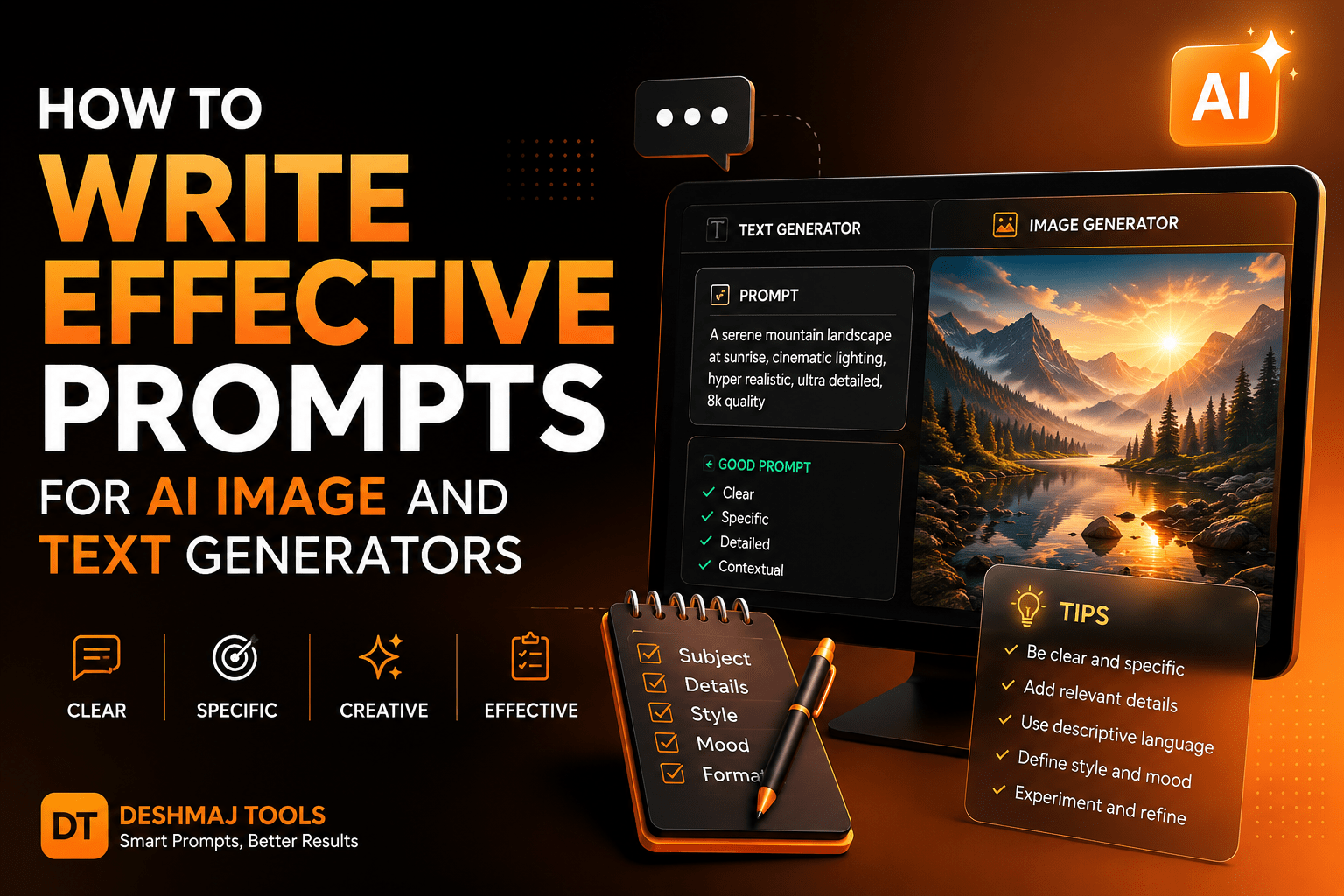
In 2026, artificial intelligence has become an indispensable creative partner for writers, designers, marketers, and developers. Whether you’re generating blog posts with ChatGPT, Claude, or Gemini, or creating stunning visuals with Midjourney, DALL-E 3, or Stable Diffusion, one truth remains universal: the quality of your output depends entirely on the quality of your input.
The global prompt engineering market is projected to reach $505 billion by 2034, growing at a 33% CAGR. Yet research reveals a sobering statistic—78% of AI project failures stem from poor prompt design, not model limitations . This means the barrier between mediocre and extraordinary AI-generated content is not the technology itself, but the skill of the person wielding it.
This comprehensive guide will walk you through proven strategies, real-world examples, and actionable frameworks to master prompt writing for both text and image generators. Whether you’re a content creator, business owner, or digital marketer, these techniques will help you unlock the full potential of AI tools while maintaining the human touch that Google and your audience demand.
Why Prompt Engineering Matters in 2026
Prompt engineering is no longer a niche technical skill reserved for developers. It has evolved into a fundamental literacy skill for the modern digital workforce. At its core, prompt engineering means crafting natural language instructions that guide AI models to produce useful, accurate, and relevant responses .
The reason this matters so profoundly is that AI models, despite their sophistication, are fundamentally pattern-matching systems. They don’t “understand” your intent in the way a human colleague would. They process tokens, predict probabilities, and generate responses based on statistical patterns in their training data. This means:
- Vague prompts produce vague results. Ask an image generator for “a nice landscape,” and you’ll get something generic.
- Specific prompts produce specific results. Ask for “a misty Japanese mountain village at golden hour, painted in the style of Makoto Shinkai anime, with cherry blossoms framing the foreground,” and you’ll get something extraordinary.
- Structured prompts produce structured results. Tell a text generator exactly what format, tone, and length you need, and it will deliver precisely that.
According to verified benchmarks, teams using structured prompts with explicit output formats achieve formatting compliance above 95%, while few-shot prompting (providing examples) can boost accuracy by 20–40% across benchmarks . These aren’t marginal gains—they’re transformative improvements that separate amateur users from professionals.
Understanding AI Image Generators
Before diving into prompt techniques, it’s essential to understand how the leading image generation models work and what they respond to best.
Leading AI Image Generators in 2026
| Tool | Strengths | Best For |
|---|---|---|
| Midjourney v7 | Artistic quality, cinematic aesthetics | Concept art, illustrations, marketing visuals |
| DALL-E 3 | Text rendering, prompt adherence | Social media graphics, product mockups |
| Stable Diffusion 3.5 | Customization, local deployment | Niche styles, privacy-sensitive projects |
| Adobe Firefly 3 | Commercial safety, brand consistency | Corporate design, advertising |
| Ideogram 3.0 | Typography, logo design | Text-heavy visuals, branding |
How Image Generators “Read” Prompts
Image generators don’t process language the way humans do. They convert your text into a mathematical representation (an embedding) and use that to guide a diffusion process that gradually transforms random noise into a coherent image. This means:
- Order matters. Words at the beginning of your prompt typically carry more weight.
- Specificity beats verbosity. “A red apple on a wooden table, soft natural light from the left, shallow depth of field, photorealistic, 8K” is better than a paragraph of flowery description.
- Style keywords are powerful. Terms like “cinematic,” “oil painting,” “anime,” “isometric,” or “bokeh” act as strong signals that dramatically shift the output.
Understanding AI Text Generators
Text generators like GPT-4, Claude 3.5, and Gemini 1.5 Pro operate on transformer architectures that process your prompt as a sequence of tokens. Understanding their behavior helps you write better prompts.
Key Characteristics of Modern Text AI
- Context windows are expanding. Leading models now support 128K to 2M tokens, meaning you can include extensive context, examples, and instructions in a single prompt.
- Role assignment shapes output. Telling the AI to “act as a senior marketing strategist” versus “act as a friendly tutor” produces dramatically different responses in tone, depth, and approach .
- Temperature controls creativity. Lower temperatures (0.0–0.3) produce more deterministic, factual outputs. Higher temperatures (0.7–1.0) produce more creative, varied responses.
- System prompts set persistent rules. When using APIs or advanced interfaces, system prompts establish baseline behavior (format, tone, constraints), while user prompts handle specific requests .
Core Principles of Effective Prompting
Regardless of whether you’re working with images or text, these seven principles form the foundation of professional prompt engineering.
1. Be Specific and Detailed
Specificity is the cornerstone of effective prompting. A well-crafted prompt eliminates ambiguity and provides clear direction. Instead of “write about coffee,” try:
“Write a 300-word blog introduction about the health benefits of organic coffee for busy professionals. Use a conversational yet authoritative tone. Include three specific benefits backed by research, and end with a compelling question that encourages readers to continue.”
This prompt includes: topic, word count, tone, structure requirements, content requirements, and a specific closing technique. The AI has no room for interpretation—it knows exactly what to deliver.
2. Use Role Personas
Assigning a role to the AI is one of the most powerful techniques in prompt engineering. Different roles use different language, focus on different details, and approach problems from unique perspectives .
Examples:
- “Act as a senior UX designer reviewing a junior’s wireframe for a food delivery app.”
- “You are a data scientist explaining machine learning concepts to a marketing team with no technical background.”
- “Respond as a travel blogger who specializes in budget backpacking across Southeast Asia.”
3. Define Output Format Explicitly
Always tell the AI how you want the information structured. This applies equally to text and image generation:
For text:
- “Format as a numbered list with bold headings”
- “Return valid JSON with fields: title, summary, key_points, call_to_action”
- “Structure as an executive summary: one opening paragraph, three analytical sections, one conclusion”
For images:
- “Aspect ratio 16:9, cinematic composition, rule of thirds”
- “Style: flat vector illustration, color palette: navy blue and coral”
- “Format: square social media post, text overlay area at bottom third”
4. Include Context and Constraints
Context transforms generic output into tailored content. Constraints prevent the AI from drifting into irrelevant territory .
Context elements to include:
- Target audience (age, expertise level, interests)
- Brand voice guidelines
- Industry or domain specifics
- Purpose of the content (inform, persuade, entertain, convert)
Useful constraints:
- Word count or character limits
- Reading level (e.g., “high school reading level”)
- Things to avoid (e.g., “do not mention competitors”)
- Geographic or cultural considerations
5. Provide Examples (Few-Shot Prompting)
One of the most reliable ways to improve AI output is to show it exactly what you want. This technique, known as few-shot prompting, can boost accuracy by 20–40% .
Example for text classification:
Input: "The product arrived damaged and customer service was unhelpful."
Output: Negative

Input: "Fast shipping and exactly as described. Will buy again!"
Output: Positive

Input: "It's okay, nothing special but not bad either."
Output: [Ask AI to complete]
Example for image generation:
Reference style: [attach image link]
Subject: A modern coffee shop interior
Mood: Warm and inviting
Lighting: Soft golden hour through large windows
[AI will match the reference style]
6. Iterate and Refine
First attempts rarely produce perfect results. Professional prompt engineers treat prompting as a conversation, not a single command .
Effective iteration strategy:
- Start with a clear but not overly complex prompt
- Evaluate the output against your requirements
- Change one element at a time (tone, format, detail level)
- Use follow-up prompts to refine: “Make this more conversational” or “Add three specific examples”
- Save successful prompt structures as templates for future use
7. Break Complex Tasks Into Steps
For multi-part tasks, guide the AI through a logical sequence rather than asking for everything at once .
Instead of: “Write a complete marketing campaign including strategy, copy, and social media posts for our new fitness app.”
Try:
- “First, outline a marketing strategy for a new fitness app targeting millennials. Include target demographics, key messaging pillars, and channel recommendations.”
- “Based on that strategy, write three email subject lines and preview text for a launch sequence.”
- “Now create five Instagram post captions using the key messaging pillars, each with a different hook style.”
How to Write Prompts for AI Image Generators
Image generation requires a different approach than text. Here are the proven frameworks used by professional digital artists and designers in 2026.
The Anatomy of a Perfect Image Prompt
A professional image prompt typically follows this structure:
[Subject] + [Environment/Setting] + [Style/Medium] + [Lighting/Mood] + [Technical Specifications] + [Composition]
Example breakdown:
- Subject: “A confident female software engineer”
- Environment: “working at a minimalist standing desk in a modern loft office”
- Style: “photorealistic, editorial photography style”
- Lighting: “soft natural light from floor-to-ceiling windows, morning golden hour”
- Technical: “shot on Canon EOS R5, 85mm lens, f/1.8, shallow depth of field”
- Composition: “rule of thirds, subject positioned left third, blurred city skyline in background”
Proven Image Prompt Templates
Template 1: Product Photography
“Professional product photography of [product], placed on [surface material], [lighting style] lighting, [color palette] color scheme, clean minimal background, shot with [camera/lens], [mood] atmosphere, high-end commercial style, 8K resolution”
Template 2: Character Illustration
“[Art style] illustration of [character description], [expression/pose], wearing [outfit details], in [setting/environment], [lighting] lighting, [color mood] color palette, [composition], detailed [texture/material] textures, [artist reference] style influence”
Template 3: Landscape/Environment
“[Time of day] [weather condition] [location type], [dominant colors] color palette, [atmospheric effect], [focal point], [camera angle], [art style or photorealistic], [mood/emotion], ultra-detailed, [resolution]”
Template 4: Abstract/Conceptual
“Abstract [medium] representing [concept], [color scheme], [texture description], [movement/flow], [lighting effect], [emotional tone], [art movement] influence, [composition style], high detail”
Negative Prompts: What to Exclude
Most image generators support negative prompts—things you explicitly don’t want. This is crucial for refining output:
Common negative prompts:
- “blurry, low quality, distorted faces, extra limbs, deformed hands, watermark, text, signature, cropped, worst quality, low resolution, mutated, ugly, duplicate”
Platform-Specific Tips
Midjourney: Uses parameters like --ar 16:9 (aspect ratio), --s 750 (stylization), --c 50 (chaos). The /describe command can reverse-engineer prompts from images.
DALL-E 3: Excels at following complex instructions and text rendering. Be explicit about text content: “A poster with the text ‘SUMMER SALE’ in bold red letters…”
Stable Diffusion: Benefits heavily from detailed negative prompts and CFG scale adjustment (7–12 is typical). Use specific model checkpoints for different styles.
How to Write Prompts for AI Text Generators
Text generation is where most professionals spend their time. Here’s how to write prompts that produce publication-ready content.
The RICE Framework for Text Prompts
Developed by professional content strategists, the RICE framework ensures comprehensive prompts:
- R — Role: Who should the AI act as?
- I — Intent: What is the specific goal of this content?
- C — Context: What background information does the AI need?
- E — Expectations: What format, tone, length, and style are required?
Example using RICE:
“[Role] Act as an experienced SEO content writer specializing in the technology sector. [Intent] Write a comprehensive guide on cloud computing security best practices for small businesses. [Context] Our audience is non-technical small business owners who are migrating to cloud services for the first time. They need practical advice without jargon. [Expectations] The article should be 1,500 words, structured with H2 and H3 headings, written in a reassuring and empowering tone. Include a checklist at the end, five actionable tips, and a brief glossary of key terms.”
Advanced Text Prompting Techniques
Chain-of-Thought Reasoning: For complex analytical tasks, ask the AI to show its work. “First, list the assumptions. Then analyze each option. Finally, provide a recommendation with trade-offs.” Research shows this approach can reduce error rates by 25% in complex tasks .
Constraint-Based Prompting: Add specific limitations to focus the output. “Explain blockchain technology in exactly 100 words, using analogies a 10-year-old would understand, without using the words ‘decentralized’ or ‘ledger.’”
Multi-Persona Debate: For balanced analysis, ask the AI to argue from multiple perspectives. “Present the case for remote work from the perspective of an employee, then from the perspective of a CEO concerned about company culture, then synthesize both viewpoints into a balanced recommendation.”
Content-Type Specific Prompts
Blog Post Introduction:
“Write a compelling 200-word introduction for a blog post titled ‘[Title]’. Hook the reader with a surprising statistic or relatable scenario. Establish the problem the post solves. Preview the key takeaways. End with a smooth transition to the first section. Tone: conversational expert. Avoid clichés like ‘In today’s fast-paced world.’”
Email Sequence:
“Write a 3-email welcome sequence for new subscribers to a [niche] newsletter. Email 1: Welcome and set expectations (150 words). Email 2: Deliver a quick win/resource (200 words). Email 3: Soft pitch for a premium offering (200 words). Tone: friendly, personal, value-first. Include subject lines and preview text for each.”
Social Media Content:
“Create 5 Twitter/X posts about [topic]. Each must be under 280 characters. Include 2 with statistics, 2 with questions to drive engagement, and 1 with a contrarian take. Add relevant hashtags. Tone: witty, professional.”
Code Generation:
“Write a Python function that [description]. Include input validation, error handling, and docstrings. Follow PEP 8 style guidelines. Include a usage example with test cases. Explain the time and space complexity.”
Advanced Techniques: Chain-of-Thought and Few-Shot Prompting
Chain-of-Thought (CoT) Prompting
Chain-of-thought prompting involves asking the AI to break down its reasoning process step by step before arriving at a final answer. This is particularly valuable for:
- Complex problem-solving
- Multi-step calculations
- Comparative analysis
- Decision-making with trade-offs
Example:
“A company has a $50,000 marketing budget. They can invest in SEO (estimated 3x ROI over 12 months), PPC (estimated 2x ROI over 3 months), or content marketing (estimated 4x ROI over 18 months). Walk through your analysis step by step: (1) identify the key variables, (2) analyze short-term vs. long-term trade-offs, (3) consider risk factors, (4) provide a recommendation with justification.”
Few-Shot Prompting with Structured Examples
As noted earlier, providing examples dramatically improves consistency. For best results:
- Use 1–5 high-quality examples (more isn’t always better)
- Ensure examples are consistent in format and quality
- Cover edge cases if the task has variability
- Include the reasoning if using chain-of-thought
Example for sentiment analysis:
Review: "The interface is intuitive but the loading times are frustrating."
Analysis: The reviewer appreciates the UX design (positive) but criticizes performance (negative). Overall: Mixed.

Review: "Absolutely love this! Best purchase I've made all year."
Analysis: Enthusiastic praise with no criticisms. Overall: Positive.

Review: "It's fine, I guess. Does what it says."
Analysis: [Ask AI to complete]
Common Mistakes to Avoid
Even experienced users fall into these traps. Avoiding them will immediately improve your results.
1. Being Too Vague
“Help me write something” gives the AI nothing to work with. Always specify topic, format, tone, and purpose.
2. Cramming Too Much Into One Prompt
Trying to get the AI to write, format, fact-check, and optimize for SEO in a single prompt usually creates messy results. Break it into steps.
3. Forgetting to Set Expectations
Not specifying role, audience, or format leads to generic responses. The AI defaults to a helpful but neutral assistant persona unless told otherwise.
4. Skipping the Feedback Loop
Never accept the first output as final. Use follow-up prompts to refine: “Make this more persuasive,” “Add a real-world example,” or “Simplify the language for beginners.”
5. Ignoring Model-Specific Strengths
GPT-4 excels at creative writing and complex reasoning. Claude handles long-context analysis well. Gemini integrates images and multiple content types effectively. Choose the right tool for the job .
6. Not Testing Across Use Cases
A prompt that works for blog writing might fail for data analysis. Test and adapt your prompts for different tasks and models .
7. Expecting Perfection Immediately
Good prompts develop through iteration. Treat your first attempt as a draft and refine based on the output.
SEO and AdSense Best Practices for AI-Assisted Content
If you’re publishing AI-assisted content on your website, following Google’s guidelines is essential for AdSense approval and search visibility.
Google’s Official Position on AI Content
Google’s “Helpful Content” guidelines, updated in February 2026, state: “Our focus is on the quality of the content, not how it was created. Using AI for content creation is not against Google’s policies. Using it to manipulate search results in Google Search is a violation of our spam policies.”
What Google penalizes:
- Mass-produced thin AI content with no original value
- AI content used to manipulate search rankings
- Misleading or false claims generated by AI
What Google rewards:
- AI content reviewed and enriched by humans
- Content demonstrating E-E-A-T (Experience, Expertise, Authoritativeness, Trustworthiness)
- Original analysis, unique insights, and first-hand expertise
AdSense Approval Requirements in 2026
To get approved for Google AdSense, your site needs :
- Original, helpful content — At least 15–20 published articles demonstrating genuine expertise
- Professional site design — Clear navigation, mobile-friendly layout, readable typography
- Required pages — About page, Privacy Policy (GDPR compliant), Contact page
- Human oversight — Someone must review AI output before publishing
- No scaled content abuse — Don’t publish hundreds of thin AI pages
Best Practices for AI-Assisted SEO Content
- Add human value: Include personal experiences, unique data, expert quotes, and first-hand observations that AI cannot generate.
- Use schema markup: Implement Article, FAQPage, and HowTo schema to help Google understand your content structure.
- Update regularly: Refresh articles with new data and expanded sections. Content freshness is a strong ranking signal.
- Build topical authority: Cover subjects comprehensively rather than publishing isolated articles. A site with 30 well-linked articles on prompt engineering outranks one with 200 shallow articles on random topics .
- Cite credible sources: Link to authoritative external references to build trustworthiness signals.
- Optimize for Core Web Vitals: Fast loading times, stable layouts, and interactive responsiveness correlate with better rankings and AdSense RPM.
Recommended Tools and Resources
For Image Generation
- Midjourney — Industry-leading artistic quality
- DALL-E 3 — Best for text rendering and prompt adherence
- Stable Diffusion — Open-source, highly customizable
- Adobe Firefly — Commercial-safe, brand-consistent
- Lexica — Search engine for AI-generated images and prompts
For Text Generation
- ChatGPT — Versatile, strong reasoning capabilities
- Claude — Excellent for long-context tasks and analysis
- Gemini — Strong multimodal integration
- Perplexity AI — Research-focused with source citations
- Copy.ai — Marketing and copywriting specialized
For Prompt Engineering
- PromptHero — Curated prompt library
- FlowGPT — Community-driven prompt sharing
- LangChain — Framework for building AI applications
- OpenAI Playground — Test and refine prompts with parameter control
For SEO and Content Optimization
- Google Search Console — Monitor indexing and performance
- Google PageSpeed Insights — Test Core Web Vitals
- Schema.org — Structured data markup reference
- Yoast SEO / Rank Math — WordPress SEO plugins
Conclusion
Mastering prompt engineering is one of the highest-leverage skills you can develop in 2026. As AI tools become more powerful, the differentiator between average and exceptional output isn’t the model—it’s the human guiding it.
The principles outlined in this guide—specificity, role assignment, structured formatting, iterative refinement, and few-shot prompting—apply universally across image and text generators. By treating prompting as a craft rather than a casual interaction, you’ll consistently produce content that rivals professional-quality work.
Remember: AI is a tool, not a replacement for human judgment. The most successful content creators in 2026 are those who use AI to amplify their expertise, not substitute for it. Google’s algorithms are increasingly sophisticated at detecting content that lacks genuine human value, so always review, enrich, and add your unique perspective to AI-generated drafts.
Start implementing these techniques today, and you’ll quickly see the difference in quality, consistency, and efficiency. The future belongs to those who can speak the language of AI fluently—and now you have the vocabulary.
Did you find this guide helpful? Bookmark Deshmaj Tools and subscribe to our newsletter for weekly updates on AI tools, prompt engineering techniques, and digital productivity strategies.
References and External Links
- Kanerika — 10 AI Prompt Engineering Best Practices in 2026
- Codeling — Master Prompt Engineering Best Practices for 2026 AI
- The Humanize AI — Google AdSense AI Content Policy 2026
- Inno Panda — Google AdSense Approval Requirements 2026
- Easton Dev — Google AdSense Application & Review: A Complete Checklist (2026)
- OpenAI — Prompt Engineering Guide
- Google Search Central — Creating Helpful, Reliable, People-First Content
- Anthropic — Claude Prompt Engineering Guide
- Midjourney — Documentation and Prompting Guide
- Stability AI — Stable Diffusion Documentation


Leave a Reply