


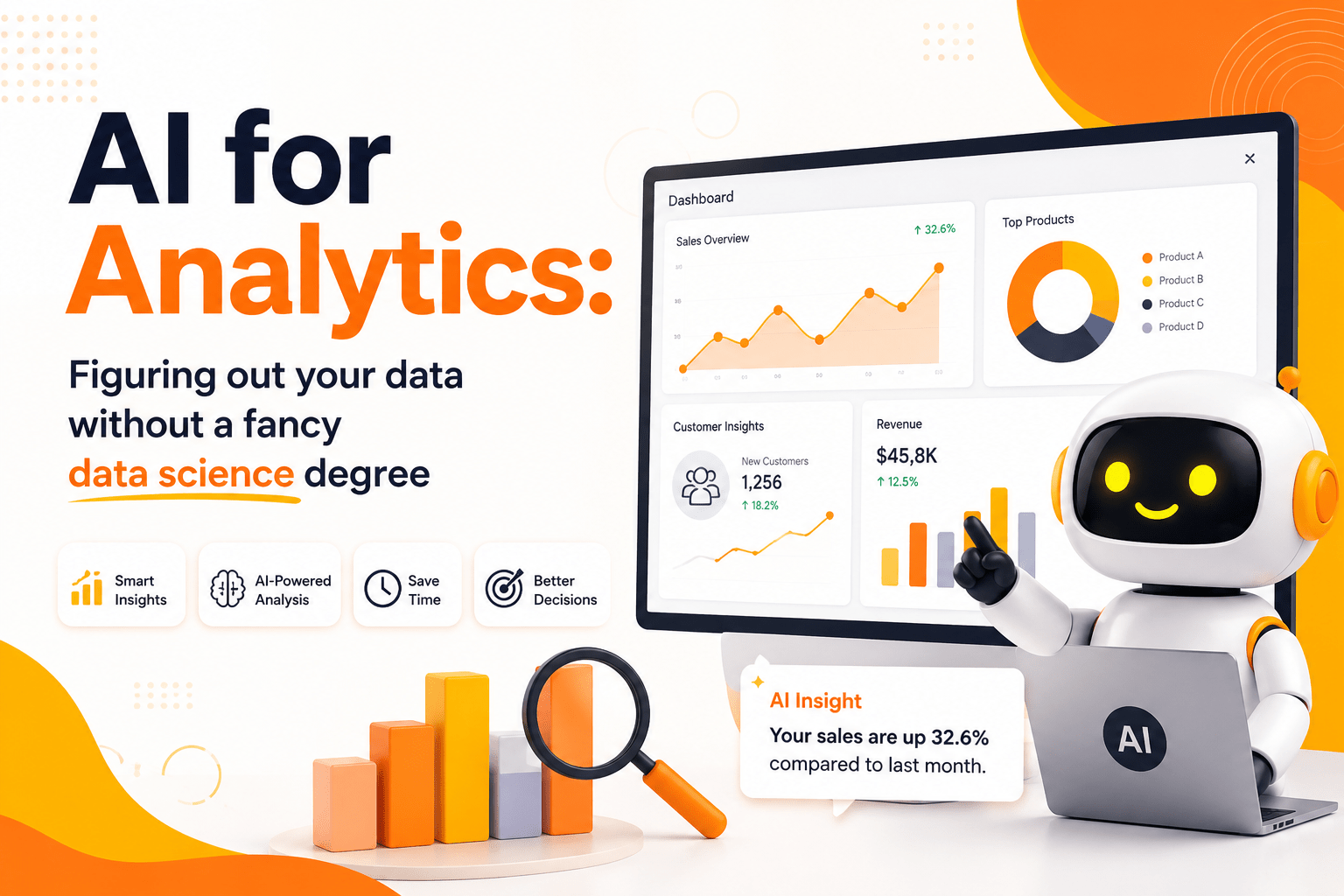
Data is everywhere. Every click, every purchase, every scroll, every like—it all leaves a digital footprint. Businesses today are drowning in data but starving for insights. The traditional path to unlocking those insights? Hire an army of data scientists with PhDs, build complex infrastructure, and wait months for answers. But here’s the truth most people won’t tell you: you don’t need a fancy data science degree to make sense of your data anymore.
Artificial Intelligence has democratized analytics. In 2026, AI-powered analytics tools are putting the power of sophisticated data analysis into the hands of marketers, founders, product managers, and everyday professionals. This guide will show you exactly how to leverage AI for analytics—no coding bootcamp, no statistics degree, no six-figure salary required.
The Data Dilemma: Why Most Businesses Fail at Analytics
Before we dive into solutions, let’s acknowledge the problem. According to Gartner, over 80% of enterprise data remains unstructured and unused [^1]. That’s not a technology problem—it’s an accessibility problem.
For years, analytics was gated behind technical barriers:
- SQL queries that looked like alien language
- Python scripts that required weeks of training
- Statistical models that demanded advanced mathematics
- Dashboards that needed IT teams to build and maintain
The result? Decision-makers relied on gut feelings rather than data. Small businesses couldn’t compete with enterprises that had dedicated analytics teams. And even large organizations found themselves bottlenecked by the very data they collected.
The Harvard Business Review has documented extensively how this “analytics gap” creates competitive disadvantages across industries [^2].
Enter AI-Powered Analytics: The Great Equalizer
AI has fundamentally changed the analytics landscape. Here’s how:
1. Natural Language Queries
Instead of writing SELECT * FROM sales WHERE region = 'North' AND date > '2026-01-01', you simply ask: “What were my sales in the North region since January?” AI translates your question into the query, executes it, and returns the answer—instantly.
Tools like Tableau with Ask Data, Power BI’s Q&A, and ThoughtSpot have pioneered this approach. You type or speak in plain English (or any major language), and the AI handles the heavy lifting.
2. Automated Insight Generation
Modern AI doesn’t just answer your questions—it surfaces insights you didn’t think to ask. These tools scan your data for anomalies, trends, correlations, and outliers, then present them with plain-language explanations.
For example, an AI might alert you: “Your conversion rate dropped 23% on mobile devices last Tuesday, coinciding with a page load time increase of 4.2 seconds.” That’s actionable intelligence, delivered without you lifting a finger.
3. Predictive Analytics for Everyone
Predictive modeling used to require understanding regression, classification, and time-series forecasting. Today, AI platforms like DataRobot, H2O.ai, and Google’s AutoML let you upload data, select a target variable (like “customer churn” or “next month’s revenue”), and automatically build, test, and deploy predictive models.
You don’t need to understand gradient boosting or neural networks. You just need to know what question you’re trying to answer.
4. Automated Data Preparation
Data cleaning consumes 60-80% of a data scientist’s time, according to Forbes [^3]. AI now automates this grunt work—detecting missing values, suggesting imputations, identifying duplicates, standardizing formats, and even recommending feature engineering.
The AI Analytics Stack: Tools You Can Use Today
Here’s a practical breakdown of the AI analytics ecosystem, organized by use case and technical barrier:
For Complete Beginners (Zero Coding)
| Tool | Best For | Price Range |
|---|---|---|
| Microsoft Power BI + Copilot | Business dashboards, Excel users | $10-20/user/month |
| Tableau with Einstein AI | Visual analytics, enterprise | $70-75/user/month |
| Google Looker Studio + Gemini | Marketing data, Google ecosystem | Free – $9/user/month |
| Julius AI | Conversational data analysis | Free tier available |
| ChatGPT / Claude with Code Interpreter | Quick ad-hoc analysis | $20-40/month |
For Growing Teams (Some Technical Comfort)
| Tool | Best For | Price Range |
|---|---|---|
| Akkio | No-code predictive analytics | $49-499/month |
| Obviously AI | Automated machine learning | $399-1999/month |
| Polymer Search | AI-powered data exploration | Free – $25/month |
| Ajelix | AI Excel/Google Sheets assistant | Free – $15/month |
For Technical Users (SQL/Python Knowledge)
| Tool | Best For | Price Range |
|---|---|---|
| Dataiku | Collaborative data science | Enterprise pricing |
| H2O.ai | Open-source ML platform | Free – Enterprise |
| Databricks + AI | Big data + AI at scale | Usage-based |
| BigQuery ML | SQL-native machine learning | Pay-per-query |
The McKinsey Global Institute estimates that AI-powered analytics could unlock $9.5 trillion to $15.4 trillion in annual economic value globally by 2030 [^4].
How AI Analytics Actually Works (Without the Jargon)
Let’s demystify what’s happening under the hood when you use an AI analytics tool:
Step 1: Data Ingestion
You connect your data source—whether it’s a CSV file, Google Sheets, Salesforce, Shopify, or a database. AI tools now support hundreds of native integrations.
Step 2: Schema Understanding
The AI automatically reads your data structure. It identifies which columns are dates, numbers, categories, or text. It detects relationships between tables. It understands context—knowing that “revenue” is a monetary metric and “signup_date” is temporal.
Step 3: Query Translation
When you ask a question in natural language, the AI uses Large Language Models (LLMs) combined with semantic understanding to translate your intent into a database query. It’s not magic—it’s sophisticated pattern matching trained on millions of question-query pairs.
Step 4: Analysis Execution
The AI runs the appropriate statistical operations. For trend analysis, it might use time-series decomposition. For segmentation, it applies clustering algorithms. For predictions, it selects and trains the best-performing model from its arsenal.
Step 5: Insight Presentation
Results are returned in human-friendly formats: charts, summaries, key takeaways, and even recommended next steps. The best tools explain why something matters, not just what happened.
Real-World Use Cases: AI Analytics in Action
Use Case 1: E-Commerce Optimization
Sarah runs a Shopify store selling handmade jewelry. She connects her store to an AI analytics platform and asks: “Which products have the highest profit margin but lowest visibility?”
The AI analyzes her sales, cost, and traffic data, then reveals that her gemstone rings have a 68% margin but receive only 3% of page views. It recommends increasing their placement on the homepage and running targeted ads. Sarah implements the changes and sees a 34% revenue increase in two months.
Use Case 2: SaaS Churn Prediction
Mike manages a small SaaS startup. He uploads his customer usage data and asks: “Which customers are most likely to cancel in the next 30 days?”
The AI builds a predictive model, identifying that customers who haven’t logged in for 14+ days and haven’t used a key feature are 4x more likely to churn. Mike’s team proactively reaches out to at-risk users with personalized onboarding, reducing churn by 22%.
Use Case 3: Content Strategy for Publishers
A blogging team at Deshmaj Tools uses AI analytics on their Google Analytics and Search Console data. They ask: “What content topics are trending upward but have low competition?”
The AI cross-references traffic trends, keyword difficulty, and content gaps, surfacing emerging topics in “AI productivity tools” and “no-code automation.” The team pivots their editorial calendar, resulting in a 156% increase in organic traffic over six months.
Use Case 4: Financial Forecasting for Freelancers
James is a freelance designer tracking his income across multiple platforms. He asks his AI tool: “Based on my last 18 months, what will my revenue look like for the rest of this year?”
The AI accounts for seasonality, project pipelines, and historical patterns, projecting a likely range with confidence intervals. James uses this to plan his tax payments and decide whether to take on additional clients.
The Skills You Actually Need (Hint: Not a PhD)
While AI handles the technical complexity, you still need to bring something to the table. Here are the human skills that matter:
1. Curiosity and Question-Asking
The quality of your insights depends on the quality of your questions. Instead of “show me sales data,” ask “what factors most influence our highest-value customer purchases?” AI can answer both, but the second question yields strategic value.
2. Domain Knowledge
You know your business better than any algorithm. AI can find correlations, but you understand causation. Your industry expertise helps you interpret results and separate signal from noise.
3. Critical Thinking
AI can hallucinate. It can misinterpret ambiguous questions. It can produce statistically significant but practically meaningless findings. Your job is to validate, question, and contextualize.
4. Data Literacy Basics
You don’t need to code, but you should understand:
- The difference between correlation and causation
- What sample size means for reliability
- How to spot obvious data quality issues
- Basic chart types and when to use them
The Data Literacy Project, founded by Qlik, offers free resources to build these foundational skills [^5].
Common Pitfalls and How to Avoid Them
Pitfall 1: Garbage In, Garbage Out
AI analytics is only as good as your data. If your CRM is full of duplicates, your tracking is broken, or your categories are inconsistent, AI will confidently produce wrong answers.
Solution: Invest in data hygiene before investing in AI tools. Audit your data sources. Establish naming conventions. Fix tracking issues.
Pitfall 2: Over-Reliance on Automation
AI can surface insights, but it can’t replace strategic thinking. Don’t let algorithms make all your decisions.
Solution: Use AI as a starting point, not an endpoint. Always ask “so what?” and “what should we do about this?”
Pitfall 3: Ignoring Privacy and Ethics
AI analytics often processes sensitive customer data. Mishandling this creates legal and reputational risks.
Solution: Understand regulations like GDPR and CCPA. Anonymize data where possible. Be transparent with customers about data usage. The Electronic Frontier Foundation provides excellent resources on data privacy [^6].
Pitfall 4: Analysis Paralysis
With AI generating endless insights, it’s easy to get overwhelmed and take no action.
Solution: Focus on metrics tied to business outcomes. Set clear goals. Prioritize insights by potential impact and implementation effort.
Building Your AI Analytics Workflow: A Step-by-Step Blueprint
Ready to get started? Here’s a practical roadmap:
Phase 1: Foundation (Week 1-2)
- Audit your data sources. List where your business data lives: analytics platforms, CRMs, financial tools, spreadsheets.
- Choose one tool. Start with something free or low-cost that integrates with your existing stack. Power BI, Looker Studio, or Julius AI are excellent starting points.
- Connect your primary data source. Don’t try to integrate everything at once. Start with your most important dataset.
Phase 2: Exploration (Week 3-4)
- Ask 10 basic questions. Treat it like a conversation with a data analyst. “What was our revenue last month?” “Which product sells best?” “Where do our visitors come from?”
- Review AI-generated insights. Most tools have an “auto-insights” or “discover” feature. Review what the AI found interesting.
- Build your first dashboard. Save your most important questions as a live dashboard you can revisit.
Phase 3: Deepening (Month 2-3)
- Add predictive questions. “What will our Q3 revenue be?” “Which customers are at risk?”
- Integrate additional data sources. Combine marketing data with sales data. Add customer support metrics.
- Share and collaborate. Invite team members. Get feedback. Refine your questions.
Phase 4: Optimization (Ongoing)
- Automate reporting. Set up scheduled reports and alerts.
- Iterate based on outcomes. Did your data-driven decisions work? Refine your approach.
- Stay current. AI analytics evolves rapidly. Follow blogs, attend webinars, experiment with new features.
The Future of AI Analytics: What’s Coming Next
As we move through 2026 and beyond, several trends are reshaping the analytics landscape:
1. Agentic AI Analytics
The next evolution is AI agents that don’t just answer questions but autonomously monitor your data, run analyses, and take actions. Imagine an AI that notices declining conversion rates, investigates potential causes, tests hypotheses, and implements fixes—all while keeping you informed.
2. Multimodal Analytics
AI is moving beyond numbers and text to analyze images, videos, audio, and documents. A retailer could upload photos of store shelves, and AI would analyze product placement, stock levels, and competitor positioning.
3. Real-Time Streaming Analytics
Batch reporting is becoming obsolete. AI now processes streaming data in real-time, enabling instant alerts and immediate decision-making. This is critical for fraud detection, dynamic pricing, and operational monitoring.
4. Collaborative AI
Analytics is becoming conversational and collaborative. Multiple team members can interact with the same AI analyst, building on each other’s questions and maintaining context across sessions.
5. Embedded Analytics
AI analytics is being embedded directly into business applications. Your CRM, ERP, and marketing tools will have built-in AI insights without requiring separate analytics platforms.
According to MIT Technology Review, these advances are making “every employee a data analyst” a realistic goal for organizations of all sizes [^7].
Choosing the Right Tool: A Decision Framework
With dozens of options, how do you choose? Consider these factors:
| Factor | Questions to Ask |
|---|---|
| Data Sources | Does it connect to your existing tools? |
| Ease of Use | Can non-technical team members use it effectively? |
| Scalability | Will it handle your data volume as you grow? |
| AI Capabilities | Does it offer the specific AI features you need? |
| Collaboration | Can teams share insights and work together? |
| Security | Does it meet your compliance requirements? |
| Support | Is there adequate documentation and customer service? |
| Cost | Is pricing transparent and within budget? |
Pro Tip: Start with free trials. Most platforms offer 14-30 day trials. Test with your actual data, not demo datasets.
The ROI of AI Analytics: Why It Pays for Itself
Let’s talk numbers. According to Nucleus Research, analytics applications return $13.01 for every dollar spent on average [^8]. AI-powered analytics amplifies this further by:
- Reducing time-to-insight from weeks to minutes
- Eliminating hiring costs for specialized data roles
- Preventing costly mistakes through early detection of issues
- Identifying revenue opportunities hidden in your data
- Improving operational efficiency through automated reporting
For a small business spending $200/month on an AI analytics tool, breaking even requires only modest improvements in decision quality. A single prevented bad hire, one optimized marketing campaign, or one early detection of a revenue leak pays for the tool many times over.
Conclusion
The era of analytics elitism is over. You don’t need a data science degree, a six-figure budget, or a team of PhDs to extract value from your data. AI has torn down the barriers, and the tools available in 2026 are more powerful, accessible, and affordable than ever before.
Your competitors are already using AI analytics to make smarter decisions, faster. Your customers are generating data every second. The question isn’t whether you can afford to adopt AI analytics—it’s whether you can afford not to.
Start small. Pick one tool. Connect one data source. Ask one question. Then another. And another. Before you know it, you’ll be making data-driven decisions with confidence, spotting opportunities others miss, and building a genuinely intelligent business.
The data is there. The AI is ready. All that’s missing is your curiosity.
Ready to transform your data into decisions? Explore our curated collection of AI-powered analytics tools, productivity enhancers, and development resources at Deshmaj Tools—built for professionals who want results without the complexity.
References and External Links
- Gartner. “How to Make Better Business Decisions with Data and Analytics.”
- Harvard Business Review. “Why Data Science Needs to Become More Accessible.”
- Forbes. “Data Scientists Spend Most of Their Time Cleaning Data.”
- McKinsey Global Institute. “Notes from the AI Frontier: Modeling the Impact of AI on the World Economy.”
- Data Literacy Project. “Building Data Literacy Skills.”
- Electronic Frontier Foundation. “Privacy and Data Protection.”
- MIT Technology Review. “How AI Is Democratizing Data Analysis.”
Additional Resources:
- Google Cloud AI and Machine Learning
- Microsoft AI Blog
- Tableau Public Gallery
- Kaggle Learn — Free data science courses
- Towards Data Science — Community-driven analytics insights


Leave a Reply